BODY-WORN CAMERAS
Body-worn cameras.
A setup that fits your team.
Explore used body-worn camera options for security guards and company teams. Discuss condition, mounting, charging and recording-management needs; BWC4000 is shown as a showcase example.
PUBLISHED OFFERS
Current body-camera inventory
Published listings show price, condition and available fit or package details. Confirm the exact item and current availability by inquiry.
Loading published listings…
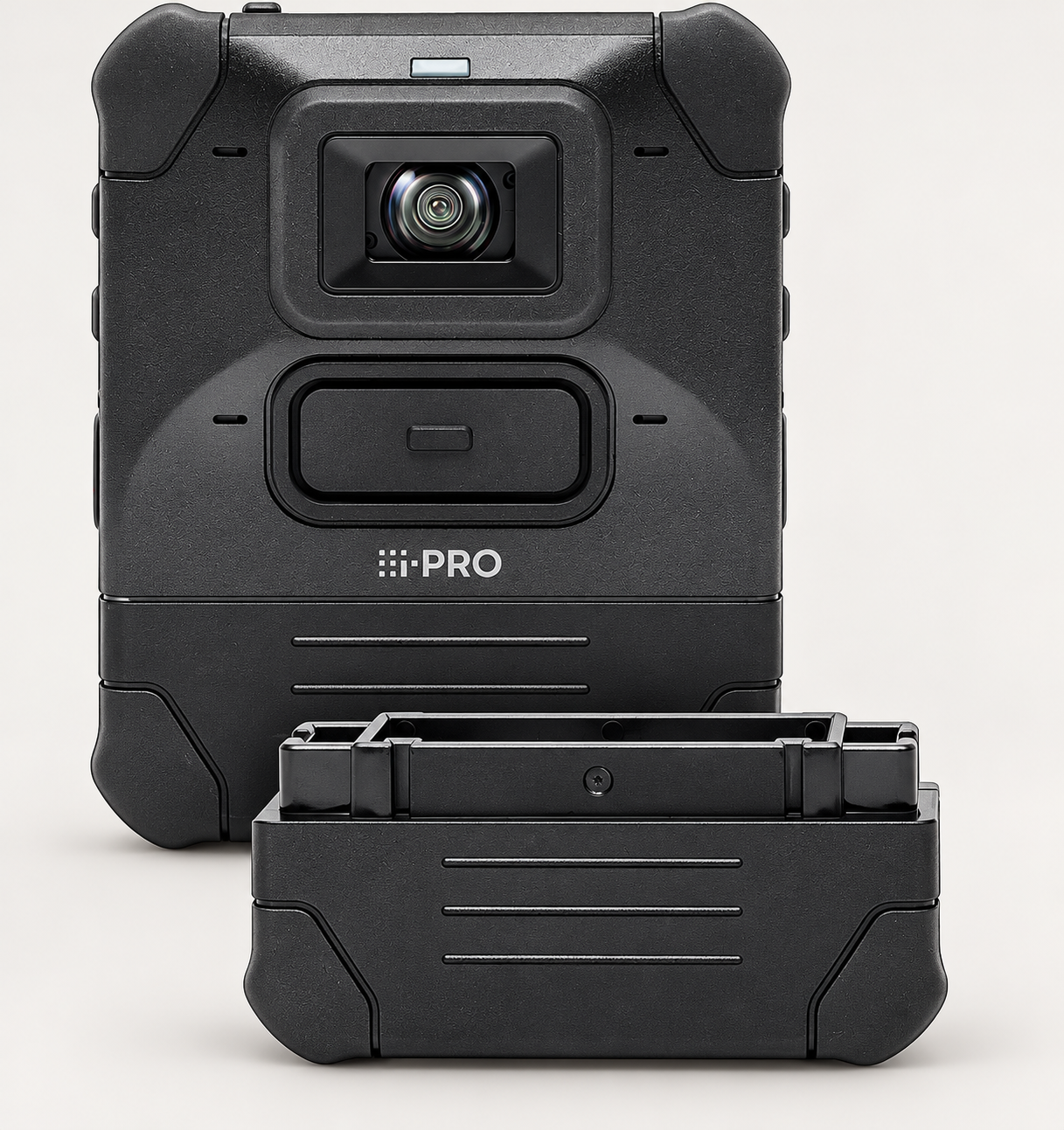
Shown: Panasonic / i-PRO BWC4000. Other models and packages are discussed by inquiry.
SHOWCASE EXAMPLE • PANASONIC / I-PRO
BWC4000 body-camera showcase
The BWC4000 illustrates one body-camera option. Inquire generally about camera sourcing, company quantities and your preferred model or existing system. Confirm condition, accessories and any testing provided for the specific units.
- Unit quantity and condition photos
- Mounting accessories and included components
- Power and charging equipment
- Docking and software requirements
Why consider it for your team
- 1080p recording and four microphones with noise reduction can support incident documentation and supervisor review.
- Field-swappable batteries support a spare-battery plan for longer assignments. i-PRO specifies 12-hour battery performance; actual runtime depends on settings and battery condition.
- IP67 and manufacturer-described MIL-STD-810H architecture offer a rugged option to evaluate for outdoor security work.
- LCD tagging and compatible evidence-management integration can help organize footage within a configured company workflow.
BWC4000 is one example. i-PRO requires an active per-device license when connecting it to Unified Digital Evidence or Genetec Clearance; licensing, docks, mounts and setup are confirmed separately.
Manufacturer features ↗THE SUPPORTING SETUP
Body-camera setup requirements.
A configured body-camera program can support incident review, staff coaching and client reporting. Select mounting, charging, storage, access permissions and video export around the camera model and company workflow.
Mounting
Describe the uniform or vest and any existing camera mount.
Docking & charging
Share the number of cameras and whether you already have a dock.
What software does the camera need?
Identify the camera model, any existing software and how your team needs to store, review and export footage. Confirm compatible software, licensing and configuration before purchasing; these are discussed separately from the camera itself.
BWC4000 software planning: i-PRO device-license requirements ↗
ON THE UNIFORM
A security-focused setup.
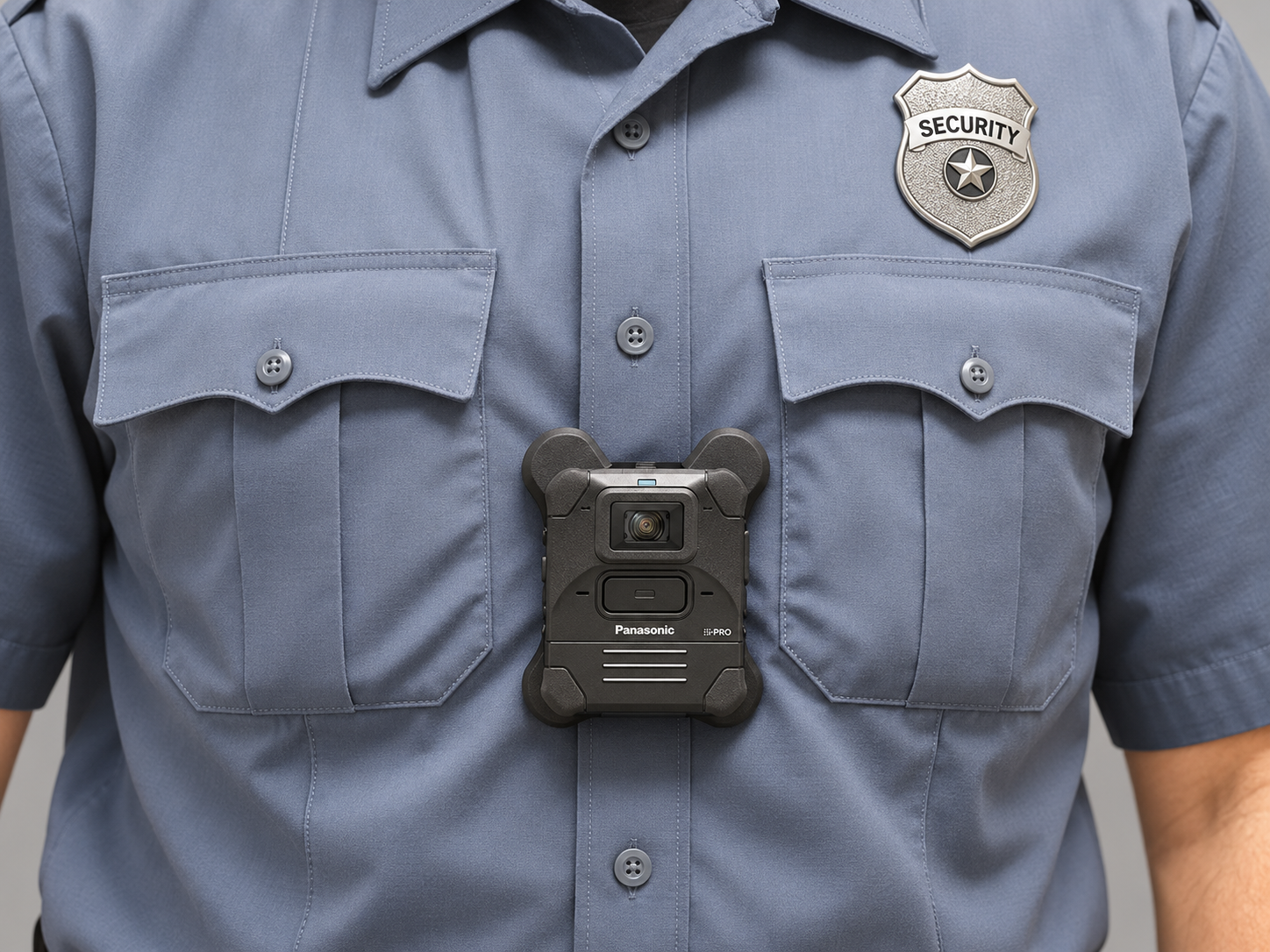
The enhanced in-use photo shows a department-neutral uniform with a generic SECURITY badge and manufacturer branding retained.
BWC4000 is the showcase example pictured. Exact camera models, mounts, software requirements and included components are confirmed by inquiry.
A SETUP THAT FITS YOUR TEAM
Let’s narrow down the options.
Contact Jerry Zhang, Sales & Purchasing Manager.
MORE OPTIONS FOR YOUR TEAM
Not what you want?
Inquire about business pricing for other models or needs.